
FitPoints

Your TomFit currency — collect them as you train, and spend them on the extras.

What are FitPoints?

Think of FitPoints as money that lives in your TomFit account — no need to reach for your card for every little purchase.

You'll find FitPoints in the bottom menu of the TomConnect app — tap it any time to see your balance and history. Here's a quick look:
Topping up your balance

New to FitPoints, or running low? You can top up your balance in the app whenever you like. Pick the amount that suits you — the larger top-ups save you a little more.

Spending your FitPoints

Use your FitPoints in the app's FitPoints shop — for drinks, shakes, protein bars and other handy extras for your training.

You can also put them towards extending a training session or renewing your membership. Everything you spend shows up in your history.

Earn extra with referrals

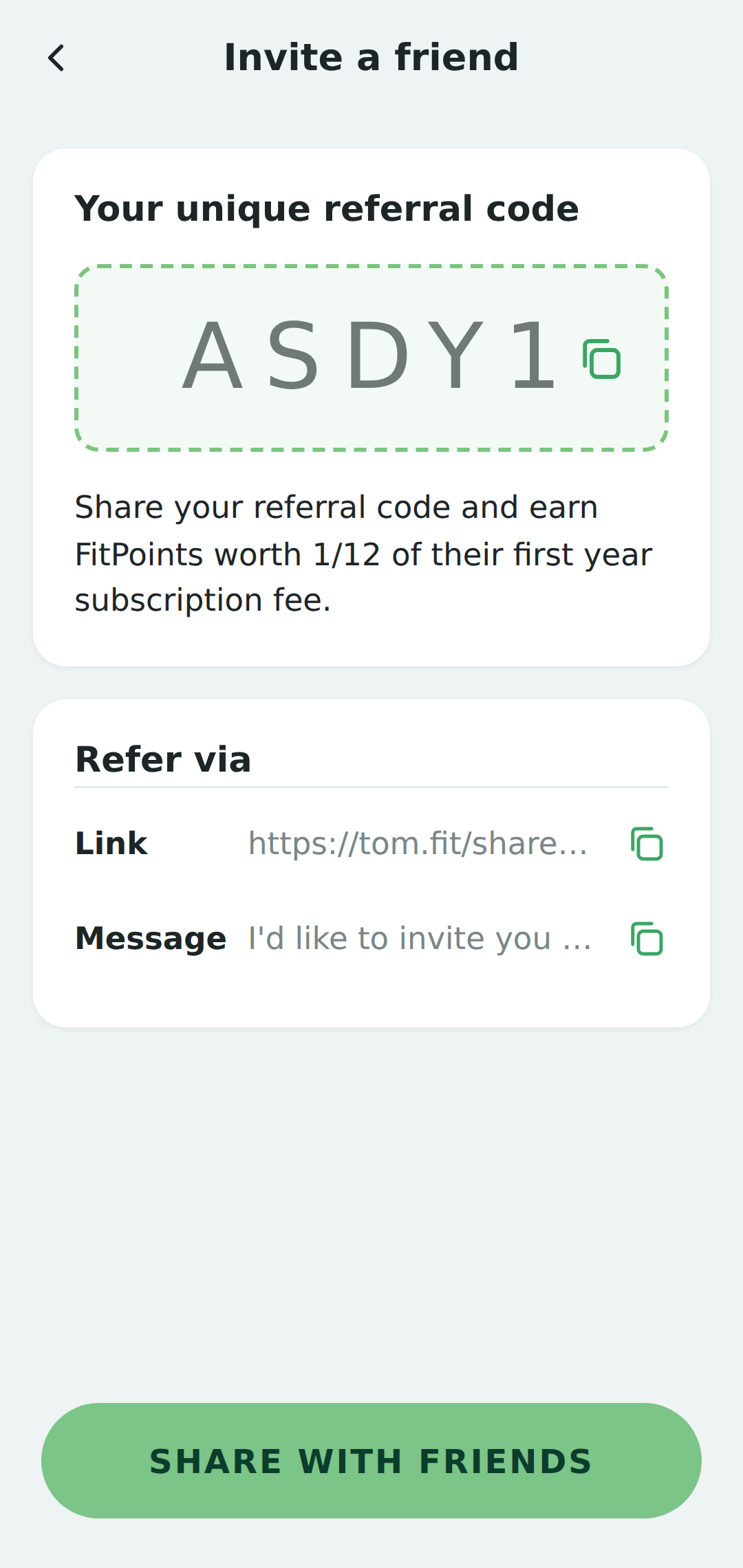
Recommend TomFit to a friend and you both earn FitPoints.

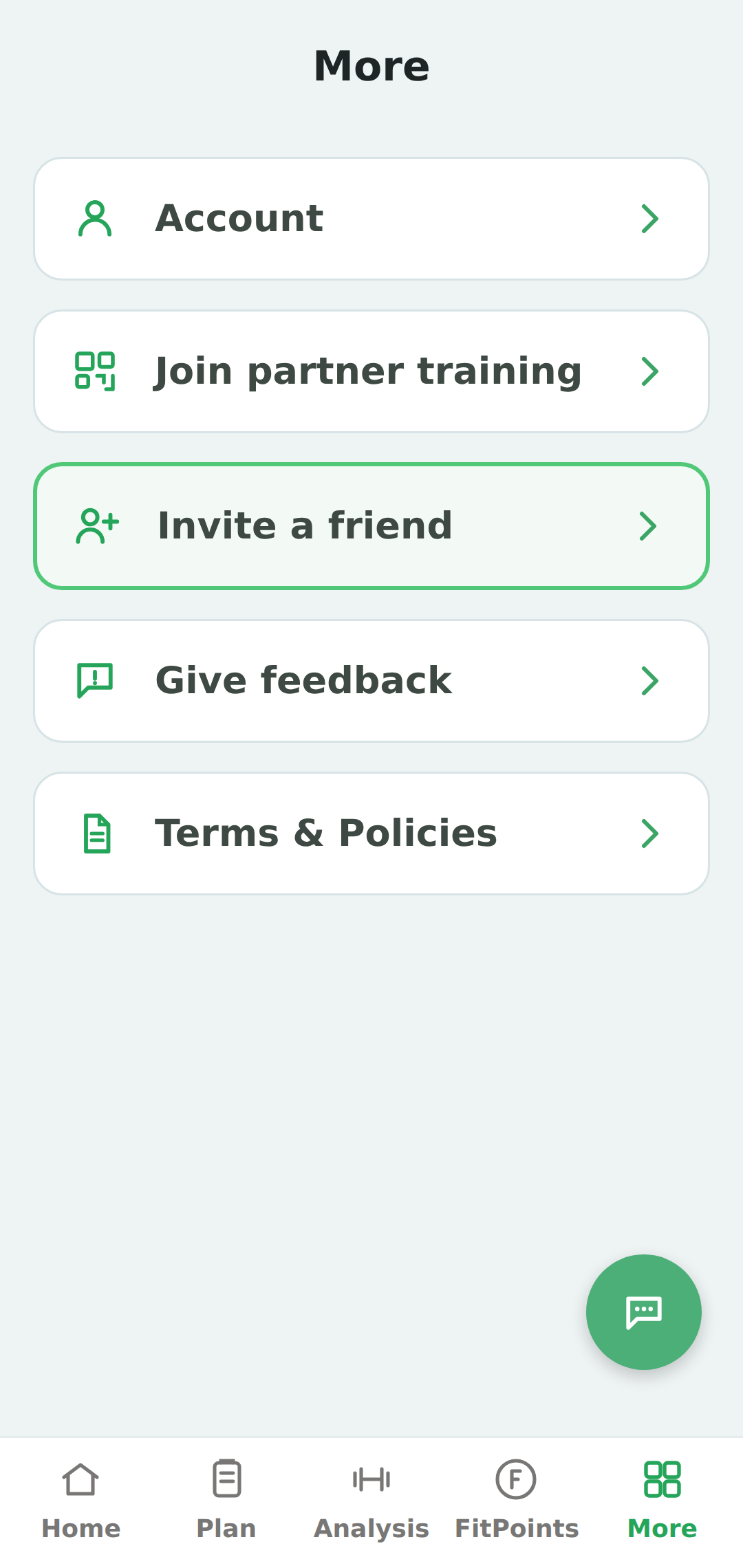
In the app, open More in the bottom menu, then tap Invite a friend to get your personal code. When your friend joins, the points land in your account.

The More menu in the app, with Invite a friend highlighted
1. Open More, then Invite a friend
The Invite a friend screen in the app, showing your referral code
2. Share your personal code